
Introducing: Sales Notes (feat. Shareable Audio Previews)
Anthology’s new Sales Notes workspace lets you build an interactive, mobile-friendly page for a release in minutes, bringing the details buyers, editors and promotional teams need into one place.
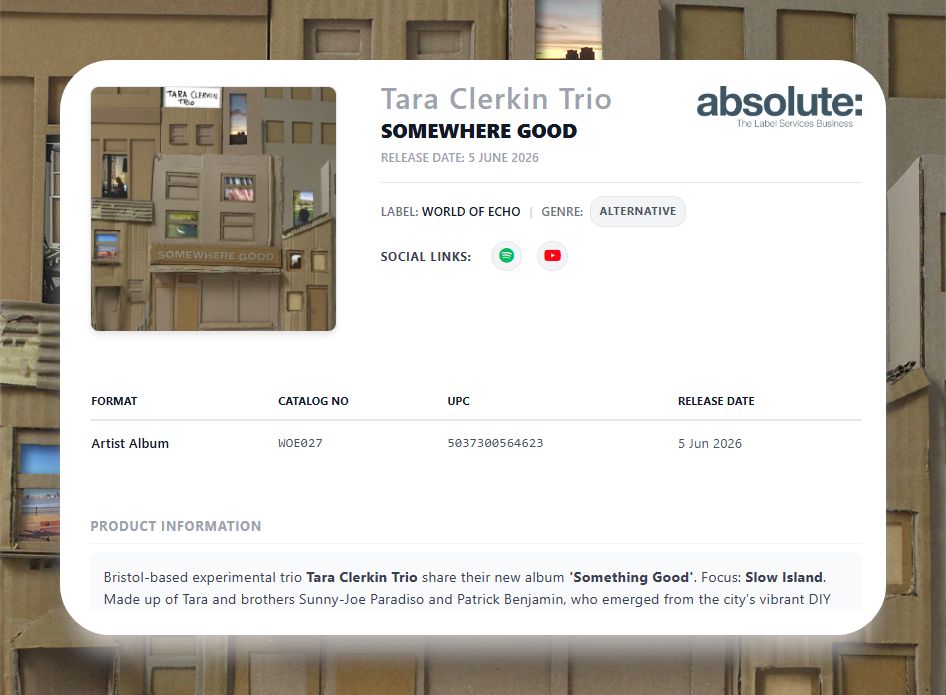
Each Sales Note can include:
Multiple formats: Present a main format, such as limited-edition coloured vinyl, alongside CD, cassette and digital editions.
Pricing and tracklists: Pull in active physical dealer prices (PPD) in GBP, EUR and USD, plus track sequences, ISRCs and vinyl side splits.
Shareable audio previews: Add embedded players with 30-second clips or full streams, so recipients can listen on the page.
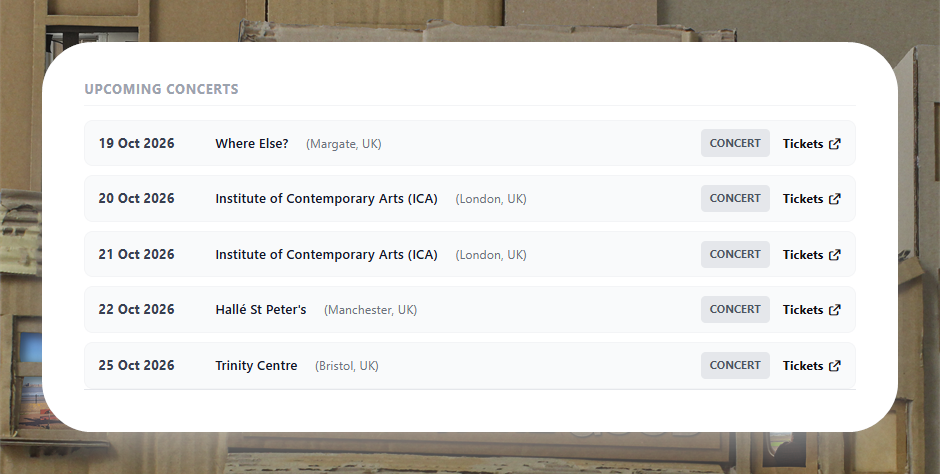
Marketing and artist information: Include formatted product descriptions, press quotes, artist biographies, tour dates and social links.
Visual assets: Use high-resolution packshots, 3D product mockups and press photo galleries.
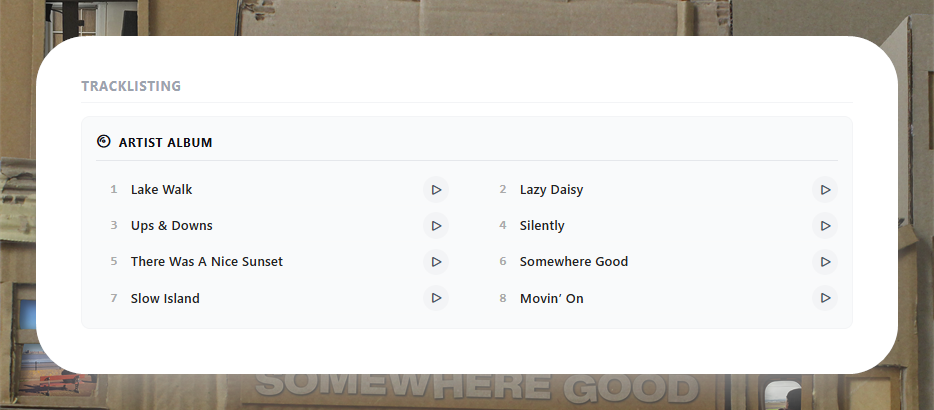
Toggle between making 30 second clips or full tracks available for preview
Built-in AI tools can help you draft or refine product descriptions, marketing summaries and promotional angles. If you have already completed a DSP Playlist Pitch in Anthology, Import Pitch Data brings its marketing copy, focus tracks, press images, genre tags and similar artists into your Sales Note. Upcoming tour dates appear at the bottom of the page through Anthology’s Songkick connection.
You can also tailor the page for a particular campaign. Add a retail-facing title, display a temporary embargoed street date or use a promotional packshot without changing the underlying master catalogue data.
Sharing Simplified
When you publish a Sales Note and turn Is Public on, Anthology generates a link you can send to retail buyers, DSP editors, radio pluggers and PR teams. Recipients can open it without logging in, whether they are using a phone, tablet or desktop. You can also export the Sales Note as a print-ready PDF.
Up-To-Date Information
PDF attachments can become outdated when a release date or track title changes. A published Sales Note draws on live catalogue data, so recipients opening the link can see the latest details.
Browse and create Sales Notes here: https://anthology.to/promotion/sales-note-builder/browse
If you have any questions, please reach out to your label manager.