
Protecting Your Face and Identity on YouTube
YouTube has introduced a Likeness detection tool to help eligible creators find and manage videos where their face may have been altered, generated or used by AI without permission
As AI-generated content becomes more common, this gives creators another way to protect their personal brand, identity and audience. The tool is designed to help identify videos that may mislead viewers into thinking you appeared in, endorsed or were involved with content that you did not actually create or approve.
What is Likeness detection?
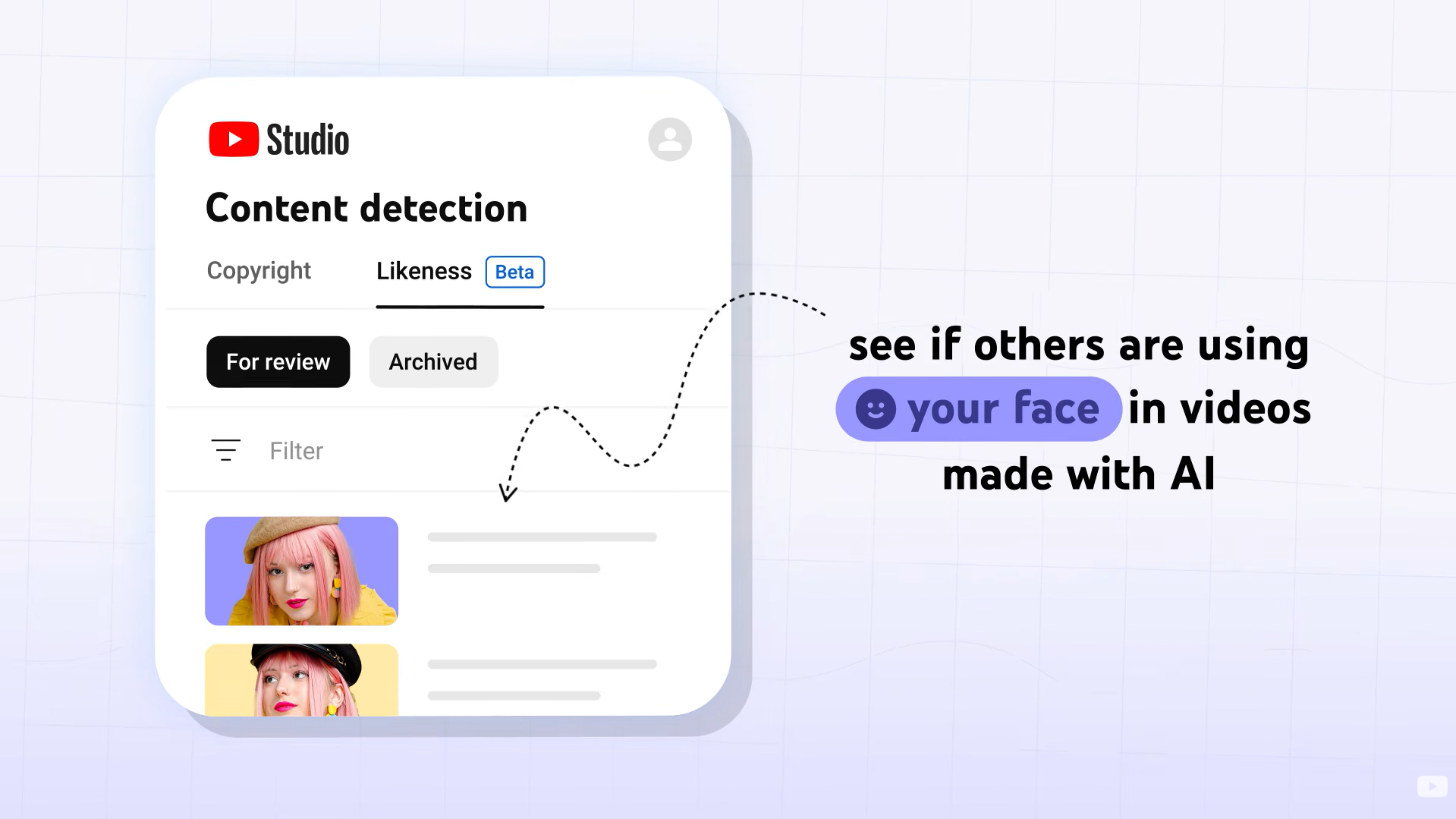
Likeness detection helps creators find videos on YouTube where their facial likeness may appear to have been altered or generated by AI.
It works in a similar area of YouTube Studio to other rights-management tools, but it is not the same as Content ID. Content ID looks for copyrighted content. Likeness detection looks for potential uses of your face.
Once you are enrolled, YouTube can search for videos that may include your likeness and show possible matches inside the Likeness tab. From there, you can review the video and decide what action to take.
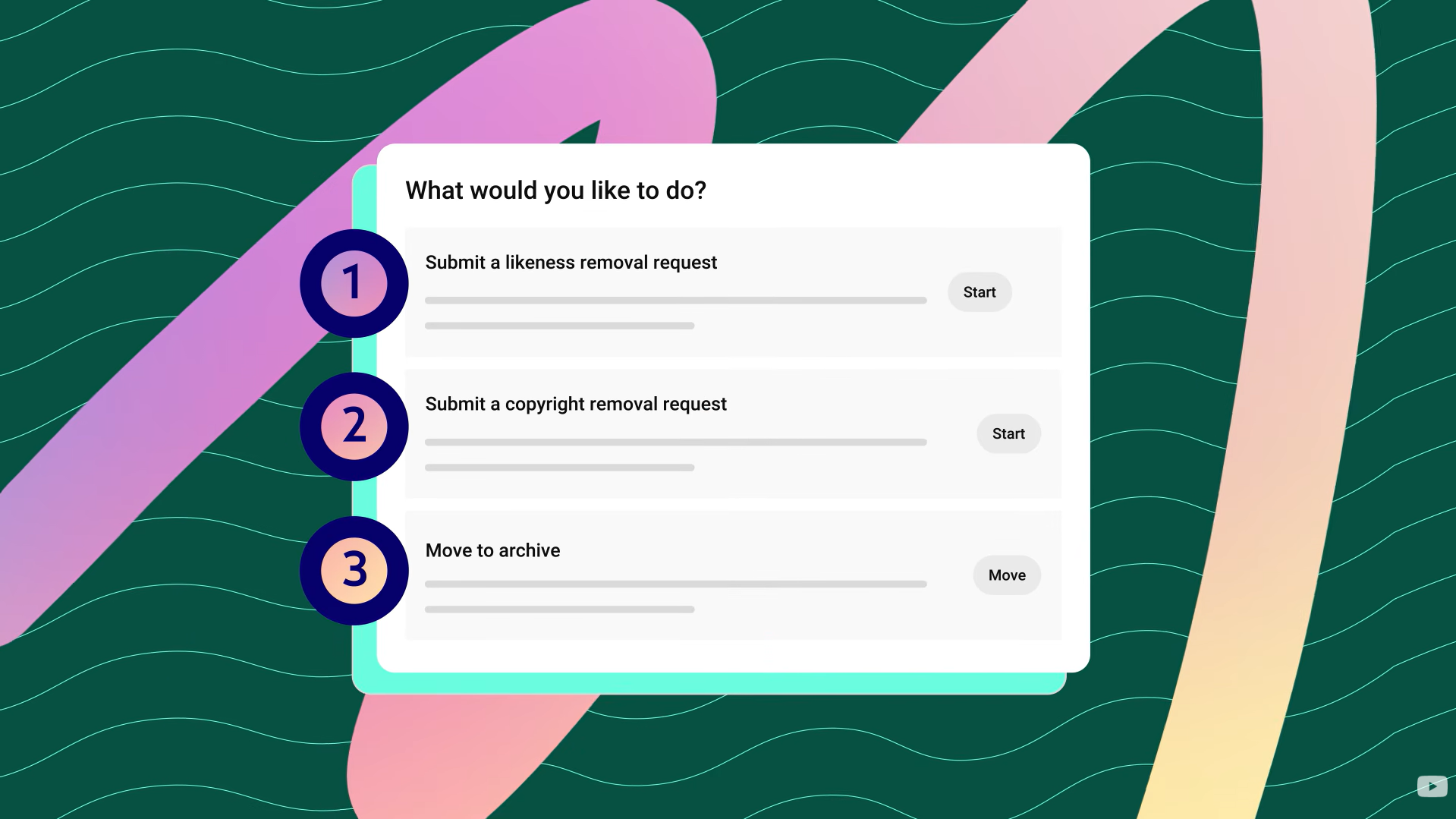
This could include requesting removal if the video appears to violate YouTube’s privacy guidelines, submitting a copyright removal request if your original content has been reused without permission, or archiving the match if you do not want to take any action.
Who can use Likeness detection?
The feature is currently experimental, so it may not be available to everyone or in every country.
To set it up, you need to be over 18 and you must be either the channel owner or have Manager access to the channel. You will also need to complete a verification process using a government-issued ID and a short selfie video.
The tool works best for creators who regularly appear on camera, because YouTube needs enough visual reference points to help detect possible matches.
If a channel has more than one creator, each person who appears on camera and wants to use Likeness detection will need to enrol separately.
How to set it up
To get started, open YouTube Studio on a computer and go to Content detection. From there, select the Likeness tab and click Start now.
YouTube will ask you to agree to the use of biometric technology so it can search for your likeness on the platform. You will then be asked to complete Google’s identity verification process.
This involves scanning a QR code with your phone, uploading a photo of a government-issued ID, such as a driving licence or passport, and recording a short selfie video where you follow some simple on-screen instructions.
Once submitted, the verification process can take a few days. YouTube says this may take up to five days. When verification is complete, you should receive a confirmation email, and the tool will begin looking for videos where your likeness may have been altered or generated by AI.
Reviewing potential matches
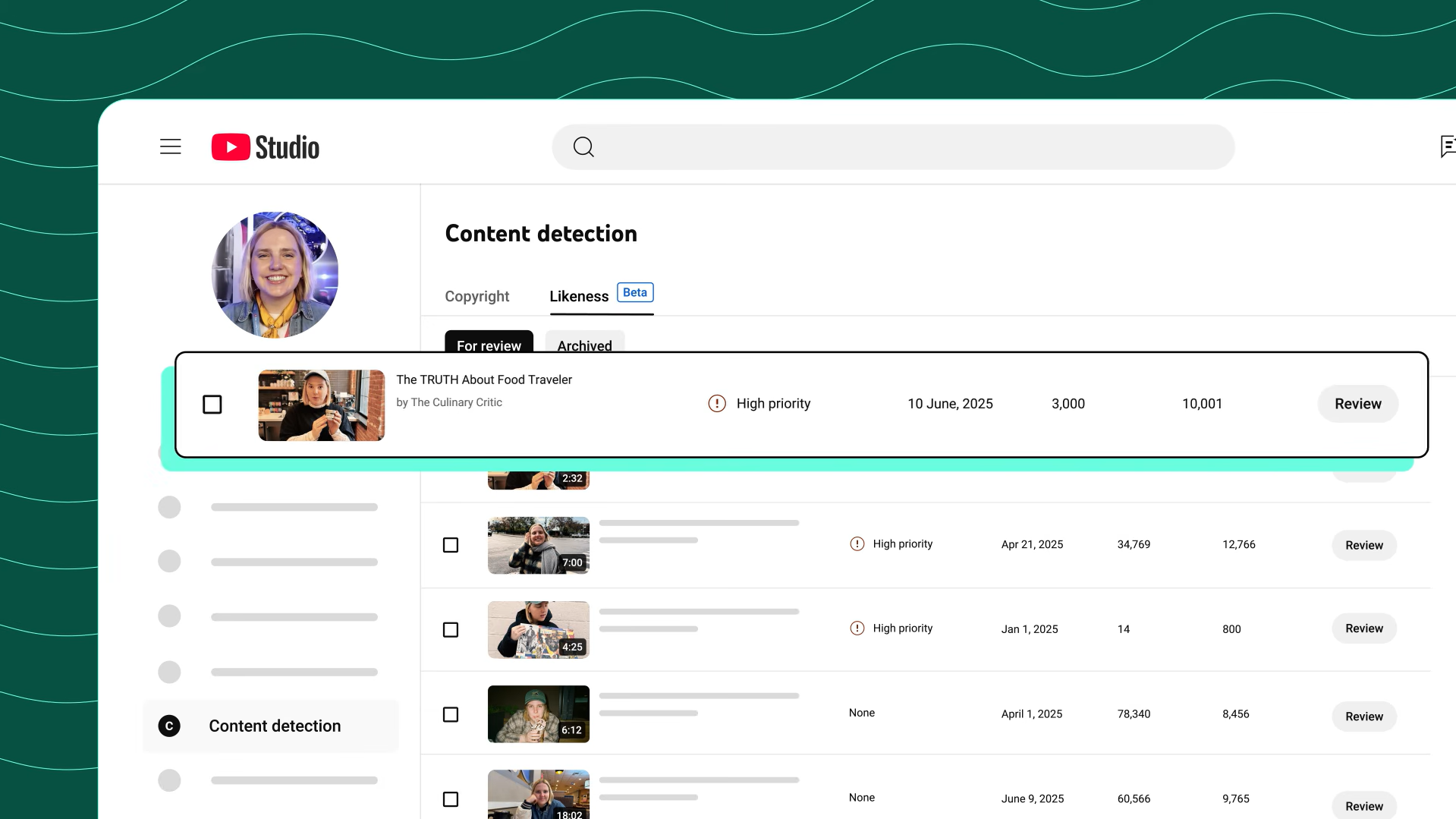
If YouTube finds a possible match, it will appear in the Likeness tab in YouTube Studio.
You will be able to see details such as the video title, the channel that uploaded it, the upload date and the view count. Some videos may also be marked as high priority to help you decide what to review first.
When you click Review, YouTube will show you the part of the video where your likeness was detected. You can then decide whether the match needs action.
What you can do with a detected video
If the video appears to use an altered or synthetic version of your face, and you believe it violates YouTube’s privacy policies, you can submit a likeness removal request.
If the issue is that someone has re-uploaded your original video or copyrighted content, the better route may be a copyright removal request. Before doing this, you should always consider whether fair use, public domain or a similar exception could apply.
If you do not want to take action, you can move the video to archive. This removes it from your active review queue, but does not remove the video from YouTube.
Submitting a likeness removal request
If you choose to submit a likeness removal request, YouTube will open a form. Some information, such as your legal name and email address, may already be filled in from your verification details.
You will need to confirm your country, whether you are reporting for yourself or on behalf of someone else, and whether your voice is also present in the video. You will also be asked to explain how the video uses your likeness.
Once submitted, YouTube will review the request and email you with the outcome.
It is important to note that YouTube will not remove every video. Each request is assessed against YouTube’s policies, and YouTube may consider factors such as whether the content is parody, satire or otherwise allowed under its rules.
Does it detect voice as well as face?
At the moment, Likeness detection is focused on visual matches of your face.
If you find a video where your voice appears to have been altered, cloned or generated by AI, you should report it through YouTube’s Privacy Complaint Process. YouTube has said it is working to extend Likeness detection to audio in future.
Final note
Likeness detection is a useful extra layer of protection for creators, especially as AI-generated content becomes more common. It does not guarantee that every misuse of your face will be found or removed, but it gives eligible creators a clearer way to monitor potential issues, review matches and request action where appropriate.
For artists, creators and public-facing talent, it is worth setting up if you regularly appear on camera and want more visibility over how your image may be used on YouTube.